
TL;DR
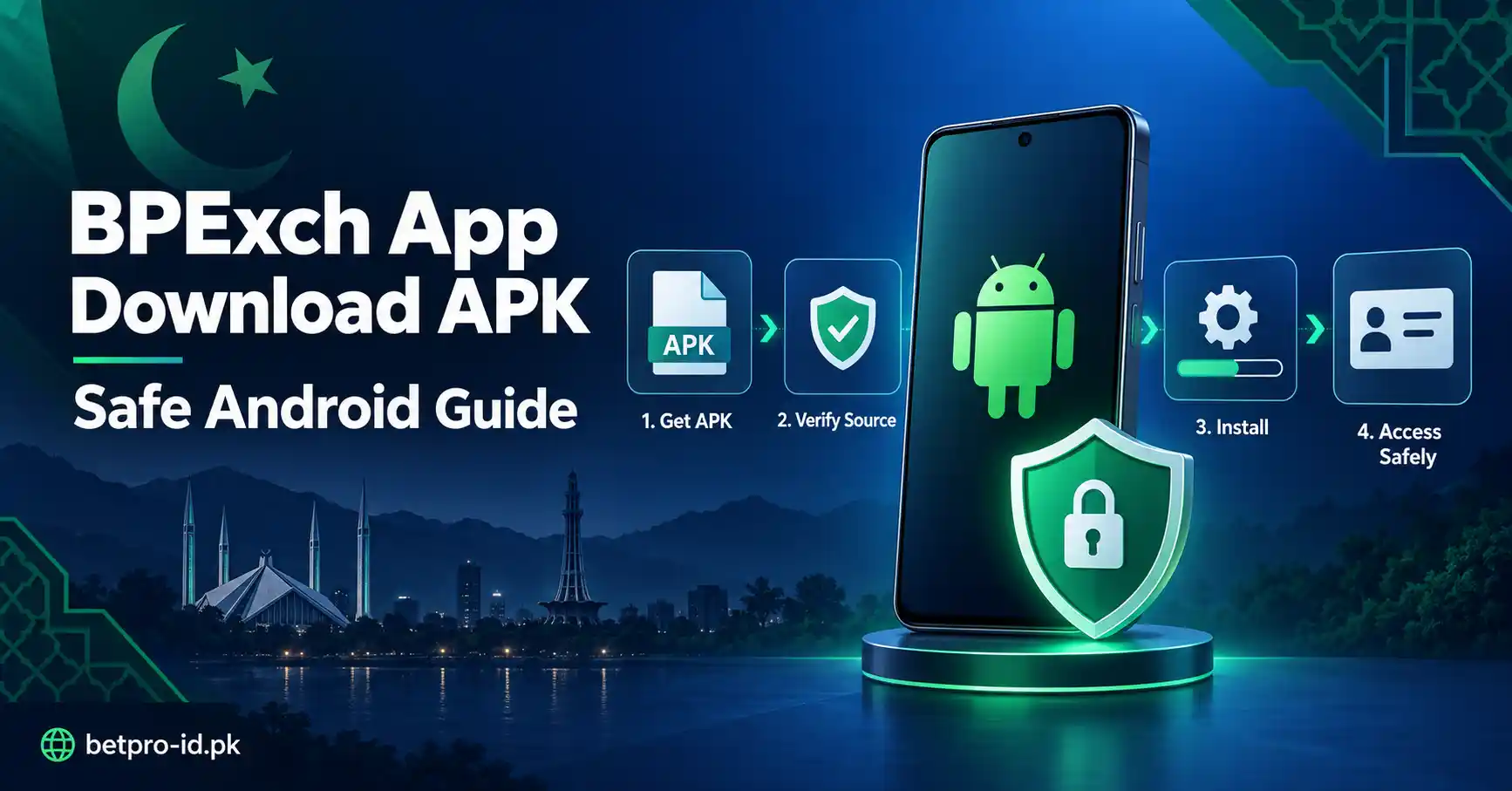
BPExch app download APK searches usually come from Android users who want a fast way to reach the BetPro or BPExch app. The safest route is simple. Start with the verified BetPro app page. Use approved app or APK access from verified support. Do not trust a random file just because its name includes BPExch, BetPro, APK, latest, update, or download.
You do not need a new ID only because you want app access. If you already have a working BetPro ID and password, the same credentials normally work across supported access points. If you do not yet have an ID, use the proper creation route first. If you forgot your password, do not keep guessing. Follow the verified recovery path instead.
This guide explains what to check before opening an APK, how to separate login problems from download problems, and how to avoid common fake-file risks. It does not publish an unverified APK mirror, version number, or alternative public domain. That is deliberate. A safe download guide should help you reach the right access path, not push you toward an unknown file.
Context: What Does BPExch App Download APK Mean?
People use the phrase “BPExch app download APK” in different ways. Some want an Android app file. Some already have the app and need to log in. Others are searching for a newer copy because their current file does not open. A few users are simply looking for BPExch access and are not sure whether they need an app, a browser page, or a new ID.
That difference matters. Download, login, password recovery, and ID creation are separate tasks. Mixing them can create unnecessary problems. A user may download several files when the real problem is a forgotten password. Another user may request a new ID when the existing ID would work. Someone else may search for an APK when browser access already meets the immediate need.
BPExch is another BetPro name used in Pakistan. The BPExch Wallet is different. It has its own credential and dashboard system. This guide is about BetPro or BPExch app access. It is not a BPExch Wallet login guide.
If your main question is how the exchange-style app works, read the BetPro Exchange App guide. If your question is about the wider Android download process, the BetPro app download guide gives that broader context. This page stays focused on the narrower BPExch APK task.
What Works: A Safe BPExch App Download APK Process
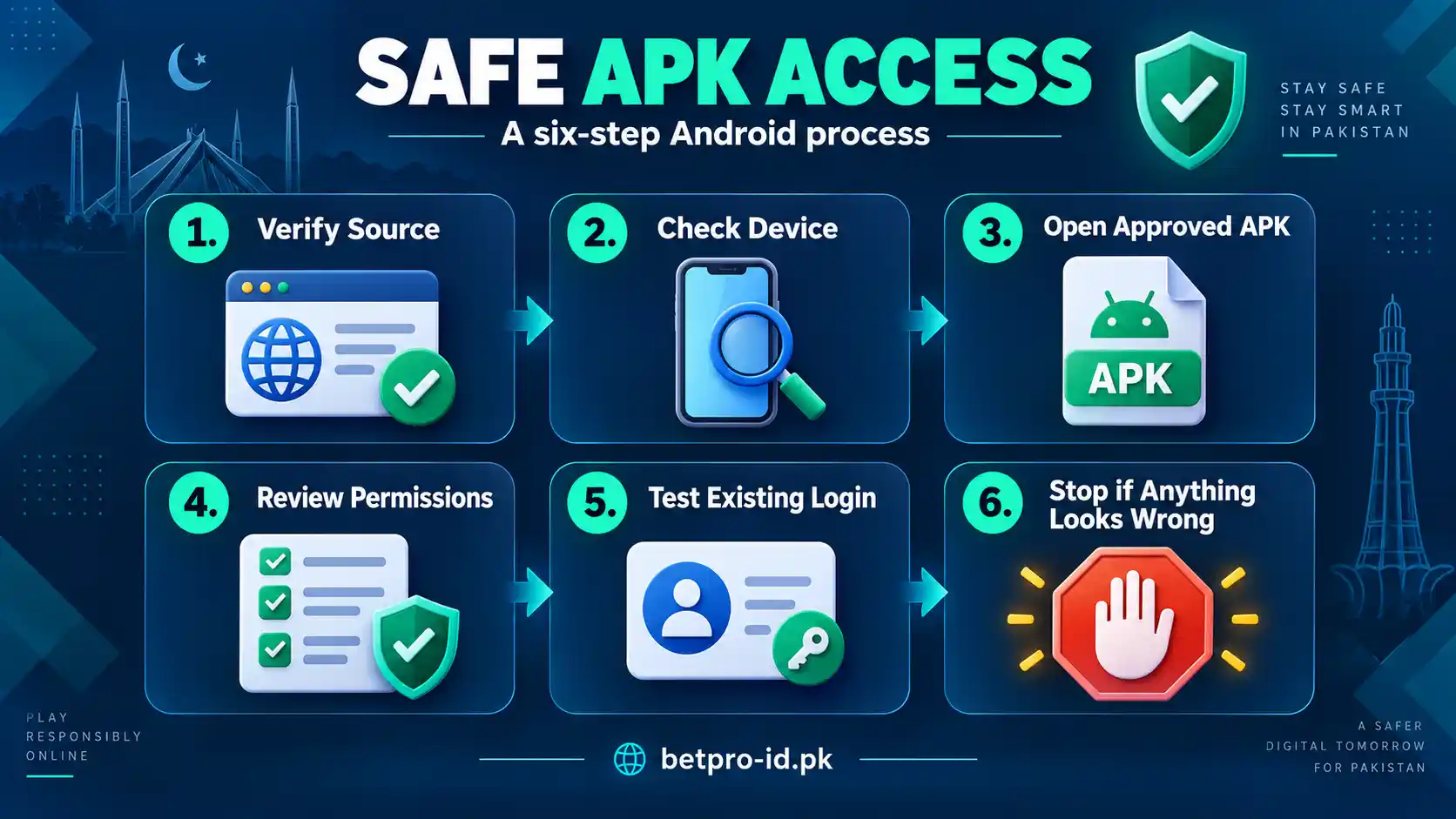
The safest process starts before you tap a download button. First, decide what you actually need. Then confirm where the app access came from. After that, check your Android device, install only the approved file, and test your existing credentials carefully. This short sequence saves time and reduces the chance of opening a copied or modified file.
1. Start With the Verified BetPro App Route
Do not begin with a random search result, forwarded APK, public file host, or unknown message. Start with the BetPro app page. That page is the broad app owner for this site. It should be your first reference point when you need app access.
Approved app or APK access is provided through verified support. That rule is more useful than chasing a file name. APK names can be copied. Icons can be copied. Screenshots can be copied. A familiar-looking logo does not prove that a file is safe. The route matters more than the label.
If a page or person sends you to an unfamiliar domain and asks you to install immediately, stop. Do not enter your ID, password, OTP, banking password, or wallet PIN. Check the source first. You can also review the BetPro ID security guidance before continuing.
2. Know Whether You Need an APK or Just Login Access
A download problem and a login problem are not the same. If the app is already installed and opens normally, downloading another APK may not solve anything. Your next step may simply be login.
If you already have a BetPro ID and password, those credentials normally work across supported access points. Enter them only on the verified app or access point you intend to use. If they work in one supported place but not another, check the access route before changing anything.
Users sometimes search “bpexch app login download apk” because they combine both tasks in one query. The right order is easier. First get approved app access. Then install or open the app. After that, use your existing ID and password. If the credentials themselves are the problem, move to login or password support instead of downloading more files.
3. Check Your Android Device Before Installation
Before installing an APK, make sure your phone has enough free storage and a stable connection. Close other heavy apps if your device is struggling. Check that you are opening the intended file, not an older download with a similar name.
Android may ask for permission to install an app from a source outside the normal store flow. Read the screen carefully. Do not approve broad permissions just to make an error disappear. If the source is not verified, cancel the installation.
A failed install does not prove the file is fake, but it also does not prove the file is safe. Device settings, storage, file corruption, or compatibility can affect installation. The correct response is to recheck the verified access route. Do not keep collecting APKs from different websites until one installs.
4. Avoid Fake “Latest Version” Claims
Search results often use words such as “latest,” “new,” “updated,” or “official.” Those words are easy to publish. They are not proof of authenticity. BetPro-ID.PK should not invent a current version number when that number has not been verified.
If you see two files with different version labels, do not choose the larger number automatically. Check which route supplied the file. If verified support provides the approved access, follow that route. If a third-party page makes dramatic claims but gives no trustworthy context, leave it alone.
This guide also avoids claiming that a specific APK will always work on every Android phone. Devices differ. Android versions differ. Storage and security settings differ. The useful promise is narrower: use the verified app route, protect your credentials, and get support when the device or file does not behave as expected.
5. Install Carefully and Watch the Permissions
Once you have the approved APK, open it from your device downloads and follow the Android prompts. Read each permission request. An app should not become trusted merely because installation begins successfully.
Be cautious if a file asks for unrelated access or pushes you to share sensitive information outside the normal login process. Do not send passwords, OTPs, wallet PINs, or banking passwords to a person who claims they are needed for installation. Installation support and credential sharing are not the same thing.
After installation, open the app and look for normal access behavior. If anything feels inconsistent, stop before entering credentials. Return to the verified route and check again. A thirty-second check is better than exposing an ID or password to the wrong screen.
6. Use Your Existing BetPro ID When You Already Have One
Many APK searches come from existing users. If that is you, do not create another ID just because you changed phones or installed an app. Your current ID and password normally work across supported access points.
Use the credentials you already know. Type them carefully. Watch for extra spaces. Check that your keyboard did not change a character. If the password is known and you want to change it later, the verified process is through Profile.
If you forgot the password, the assigned dealer is the first recovery route. There is no confirmed self-service forgotten-password reset that we should promise. For broader credential help, use the site’s login and password guidance rather than trusting a popup or unknown reset page.
7. Separate BPExch App Access From BPExch Wallet
This distinction is important. BPExch Wallet is a separate credential and dashboard system. A Wallet password or Wallet login flow should not be treated as the same thing as your BetPro ID.
If your goal is BetPro or BPExch app access, stay in the BetPro ID and app path. If your goal is Wallet access, use the Wallet property instead. Mixing these systems can make a simple login problem look like an APK problem.
For this reason, this article does not target Wallet-qualified keywords. It also does not tell users to reuse Wallet credentials in the BetPro app. Keep each system in its correct lane.
How to Check an APK Before You Trust It
You do not need to be a technical expert to make basic safety checks. Start with the source. Ask yourself where the file came from. Was it reached through the verified BetPro app path or support route? Or did it appear in a random message, comment, group, or file-sharing page?
Next, check the page around the file. A copied logo, polished button, or confident headline can still sit on an unsafe page. Look for consistency with the verified site and support information you already know. Do not treat a search ranking by itself as proof that a file is approved.
Then think about what the file asks you to do. A normal login task needs your ID and password on the correct access point. It should not require you to send those credentials to another person. It should not require a banking password. It should not require your OTP to be shared in chat.
Finally, trust your own pause. If something feels different from the route you used before, stop and verify it. Security problems often grow because users feel rushed. A safe process gives you time to check.
BPExch App Download APK vs BetPro App Download
The phrases look similar, but the content roles are different on this site. The Laravel BetPro app page owns the broad app intent. The existing BetPro App Download article owns broad download intent. The BetPro Exchange App article covers the exchange-app topic. This page focuses only on the BPExch APK wording and the practical Android access task.
That structure matters for users as well as search engines. It keeps one page from trying to answer every app question. If you need a general overview, use the broad app page. If you need the standard download guide, use the existing download article. If your search specifically asks for the BPExch APK, stay here.
The information still connects. All of these paths should point users toward the same safe principles: verify access, use existing credentials when appropriate, avoid copied files, and protect private information.
Common BPExch APK Problems and What to Do
The APK Will Not Download
First check your internet connection and available storage. Then make sure you are using the verified route. Do not solve a failed download by jumping across multiple unknown mirrors. If the approved source still does not work, use support rather than guessing.
The APK Downloads but Will Not Install
Check device storage and Android installation settings. Make sure you opened the intended file. If your device blocks the file, do not disable every security control without understanding why. Recheck the source and ask for verified support if needed.
The App Installs but Login Fails
At this point, downloading again may be unnecessary. Check your ID and password. If you know the password, enter it carefully. If you forgot it, contact your assigned dealer first. For wider login guidance, use the site’s login support pages.
The App Opens a Strange Page
Stop before entering credentials. A redirect or unfamiliar page deserves a check. Compare the route with the verified app and security guidance. Do not continue because the page uses a familiar logo or says “official.”
Someone Sends a Different APK in Chat
Do not install it automatically. Ask whether the file comes from the verified support route. Do not accept urgency as proof. A message saying “install now” does not make a file safe.
What Works for New Users
If you do not have a BetPro ID yet, the APK is not the first step. Start with ID creation. A new ID can be requested with your name, desired ID name, and active WhatsApp number. ID creation is free. A deposit is not required before you receive and test the new ID. Normal setup is about five minutes once the required details are available.
After you receive the ID and password, test the credentials through a supported access point. Then use the verified app route if you want Android access. This order keeps the process clear: create, receive, test, then choose app or browser access.
Do not pay someone merely because they claim an APK is needed to create the ID. App installation and ID creation are separate tasks. If you need help with creation, use the dedicated creation route rather than an unknown APK page.
What Works for Existing Users
Existing users should think differently. Your first question is not “Where can I get another ID?” It is “What part of my access is failing?” If your ID works in the browser but not in the app, check the app route. If the app opens but rejects the password, check the credentials. If nothing looks familiar, stop and verify the source.
This simple diagnosis prevents unnecessary downloads. It also reduces the chance of exposing your credentials to a copied app. One problem should lead to one relevant action.
For app-specific background, use the BetPro Exchange App guide. For broader download steps, use the BetPro app download guide. Those pages support this narrower BPExch APK guide without replacing its purpose.
Trade-offs: APK Convenience vs Safety
An APK can be convenient because it gives Android users a direct installation format. That convenience also creates a simple risk: files can be copied, renamed, repackaged, or distributed through pages that look convincing.
The trade-off is not complicated. Faster is not always safer. A verified route may require one extra check, but that check protects your login details and device. Random mirrors may look easier, yet they create uncertainty about the file source.
Another trade-off is updates. Users often want the newest file immediately. But chasing every “latest version” headline can push you toward unverified pages. It is better to confirm the approved access route than to treat a version label as proof.
There is also a convenience trade-off between app and browser access. Some users prefer an app. Others only need quick browser access. Neither choice should force you to create a new ID when your existing credentials already work. Pick the supported access method that solves your task with the least confusion.
Quick Safety Checklist Before You Install
Before you open any APK, run through a short checklist. First, confirm that you reached the file through the verified app or support route. Second, make sure you are not being pushed toward an unfamiliar domain. Third, check that you understand why you need the file. If your only problem is login, another download may not help.
Look at your device next. Make sure you have enough storage. Keep your Android software reasonably current. Close apps that are using too much memory. Confirm that the file you are about to open is the one you intended to download. Old files with similar names can create confusion.
Then think about credentials. You should never send your BetPro ID password, OTP, wallet PIN, or banking password to a person who says those details are required to install an APK. Installation help should not require you to hand over private access information.
Check the wording on the page as well. Claims such as “100% official,” “guaranteed,” “fastest,” or “latest” can sound convincing, but words alone do not verify a source. A clean design and a familiar logo are not enough either. The safest signal is the route you used to reach the file.
After installation, do not rush into login. Open the app and take a few seconds to check that the screen looks consistent with the supported access you expected. If the app redirects to an unknown page, asks for unrelated details, or behaves in a way you do not recognize, close it before entering credentials.
How to Choose the Right Help Page
BetPro-ID.PK separates tasks so users can get a direct answer. Use the app pillar when your question is about app access. Use the login page when your ID or password is not being accepted. Use the password route when recovery is the real problem. Use the security page when a file, page, link, or support contact looks suspicious.
This separation also helps you avoid repeating steps. For example, if your APK is installed and opens correctly, you have already passed the download stage. If login fails after that, move to login help. Do not uninstall, reinstall, and download new files unless there is a clear reason.
If you are a new user, use the creation route first. If you are an existing user, keep your current ID unless verified support tells you otherwise. If you are unsure whether a message or link is safe, pause and use the security guidance. Clear routing is faster than random trial and error.
Why This Guide Does Not Publish a Direct APK File
A direct file link can become outdated, copied, or replaced. Publishing an unverified mirror would also create a risk for users who assume every downloadable file on a guide is approved. This page therefore explains the safe route instead of pretending that any public APK link is automatically trustworthy.
The same rule applies to version numbers. If a version has not been verified, we do not invent one. If a third-party page shows a newer number, we do not treat that number as proof. Users deserve a clear difference between verified information and unverified claims.
This approach may feel less exciting than a large “Download Now” button, but it is more useful. It helps you make the right decision even when search results change. The core steps remain stable: use the verified route, protect your credentials, install carefully, and ask for support when something does not match.
One final check can prevent most avoidable mistakes. Keep the download source, login task, and password task separate in your mind. If one step fails, fix that step first. Do not change your ID, password, app source, and device settings all at once. Small changes make problems easier to understand. They also make it easier to explain the issue clearly when you contact verified support for help. and need clear next steps.
Next Steps: What Should You Do Now?
If you searched for BPExch app download APK, start by identifying your situation.
- If you need Android app access, begin with the verified BetPro app route.
- If you already installed the app, test your existing ID and password before downloading another file.
- If you forgot your password, contact your assigned dealer first instead of using an unknown reset page.
- If a file came from an unfamiliar source, do not install it until you verify the route.
- If you are a new user, create your ID before treating the APK as the first step.
- If you are dealing with BPExch Wallet, move to the separate Wallet property because its credentials and dashboard are different.
The goal is not to collect APK files. The goal is to reach the correct supported access point with your credentials protected.
FAQs
Where should I get the BPExch app download APK?
Use the verified BetPro app route and approved support access. Do not rely on random mirrors, forwarded files, or unfamiliar public domains. A copied file name or logo is not proof that an APK is approved.
Can I use my existing BetPro ID in the BPExch app?
Your same ID and password normally work across supported access points. If the app is verified and your credentials are correct, you normally do not need a new ID just because you changed access method.
What if I forgot my password after installing the app?
Contact your assigned dealer first. There is no confirmed self-service forgotten-password reset that should be promised. If you know the password and simply want to change it, use Profile.
References
This guide follows the verified BetPro-ID.PK app, login, security, and support rules. For the broad app path, use the BetPro app page. For security checks, use BetPro ID security. For broader Android download guidance, read the BetPro app download guide. For exchange-app context, read the BetPro Exchange App guide.
Conclusion
Need BPExch app access on Android? Start with the verified BetPro app route. Confirm the source before you install anything. Use your existing BetPro ID when you already have one, and keep your password, OTP, wallet PIN, and banking credentials private. If the route, file, or login screen looks unfamiliar, stop and verify it before continuing.
EDITORIAL REVIEW
Reviewed for clarity, safety and independent status
This article is managed by the BetPro-ID.PK Support and Editorial Desk. Content is checked before publication and updated when important facts change.