
TL;DR: Check the BetPro Link Before You Use It
A BetPro link can lead to login help, app access, support, or another BetPro-related page. That does not mean every link is right for your task. Before you sign in, install an app, or share any details, check where the link came from and what the page asks you to do.
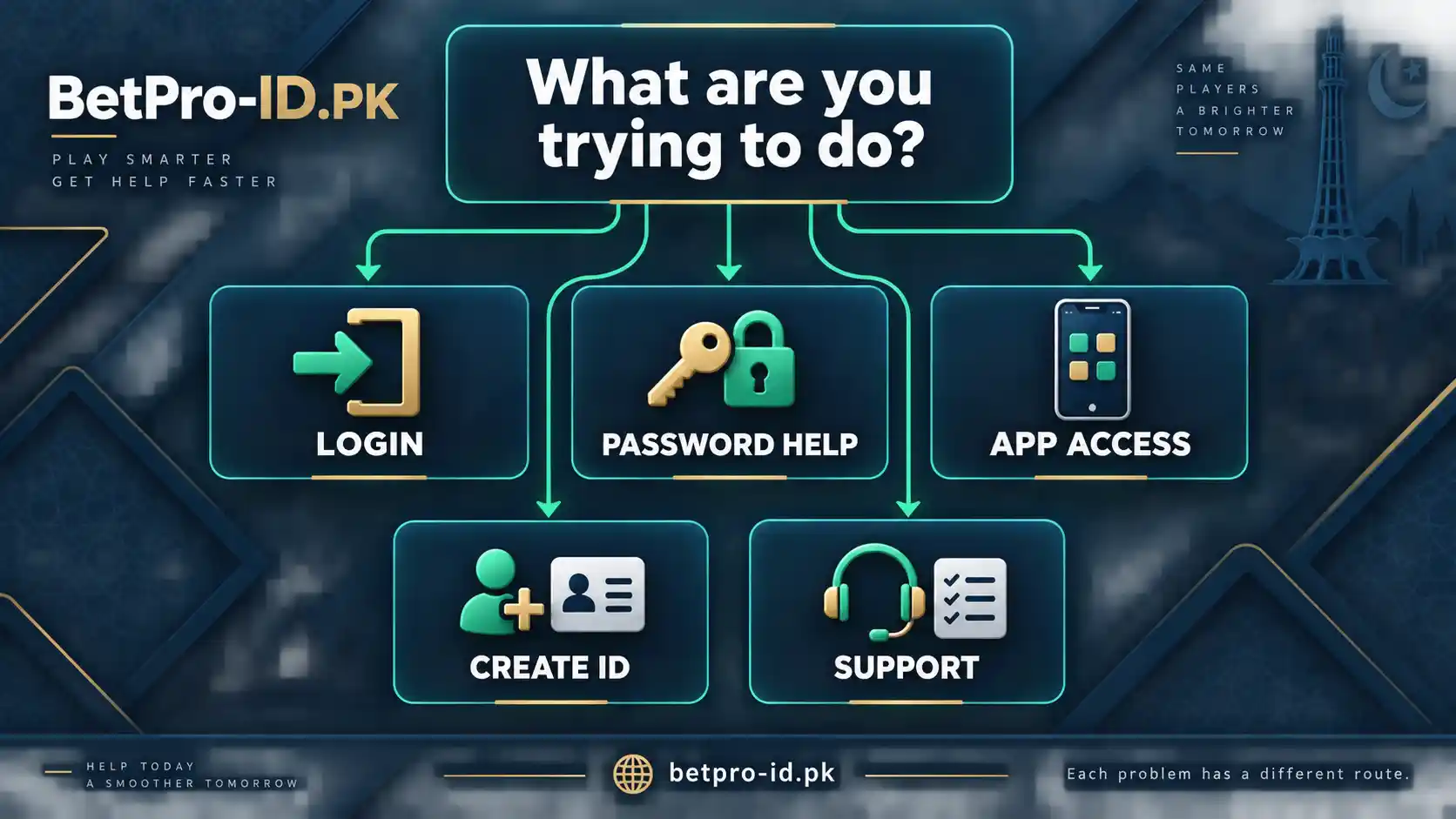
Start with one simple question: what are you trying to do? You may need to log in, change a known password, recover a forgotten password, open the app, create a new ID, or contact support. Each task has a different route. When you know the task, it becomes much easier to judge whether a BetPro link makes sense.
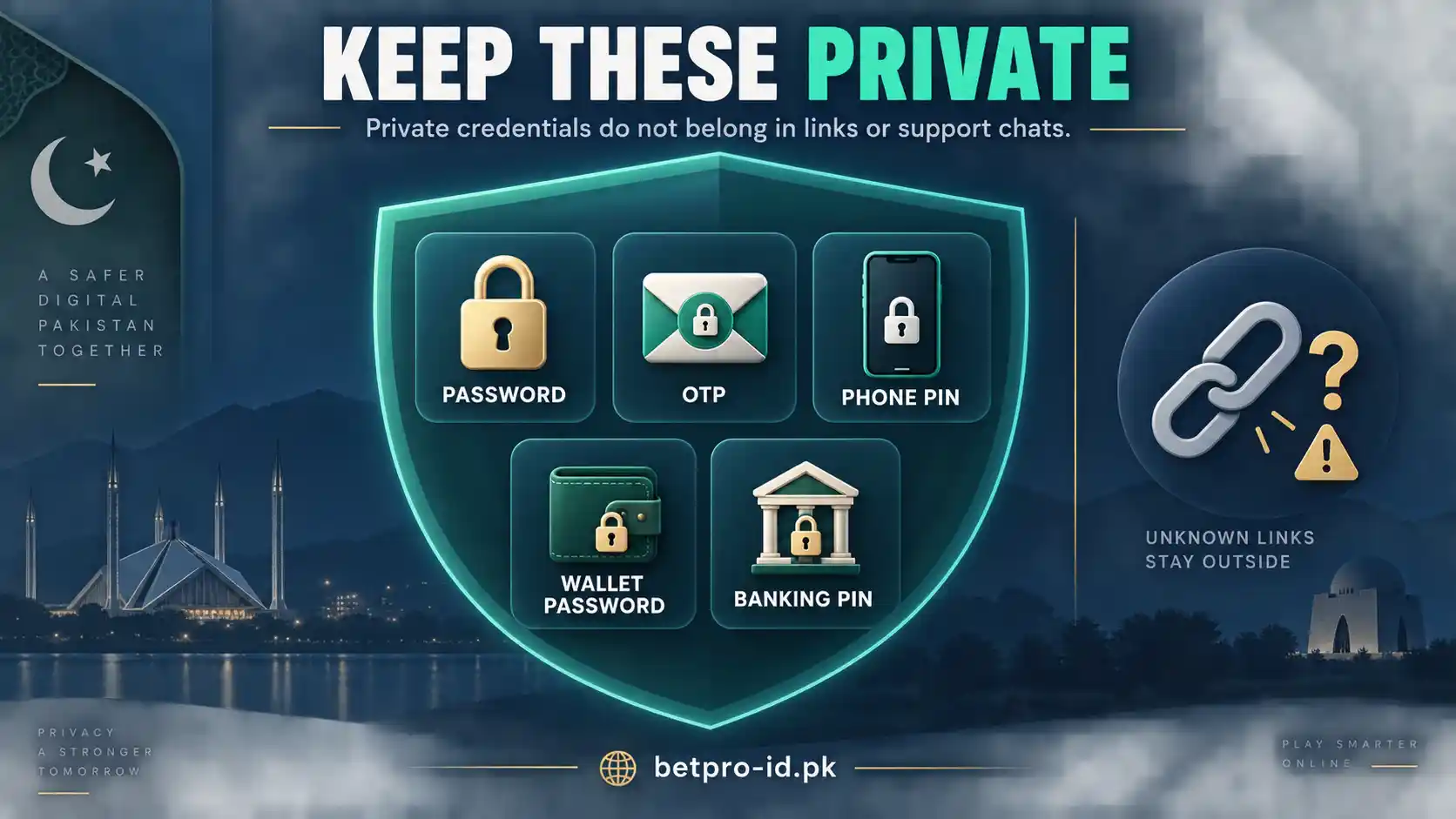
Do not trust a page only because it uses a familiar logo, colour, name, or design. Those things can be copied. Check the full address. Check the source. Check the purpose. Most of all, keep your current password, OTP, phone PIN, wallet password, and banking PIN private.
If anything feels wrong, stop. You do not need to keep testing random links. Use the correct guide on BetPro-ID.PK or go to the support page. A careful check takes a minute. Fixing a bad login, unsafe download, or exposed password can take much longer.
Context: Why BetPro Link Searches Can Be Confusing
People search for a BetPro link for many reasons. Some want a login page. Some want the BetPro app. Others need password help, support, or a new ID. The words are simple, but the search intent is broad.
This is where mistakes happen. A user may open the first result, tap a forwarded message, or install an APK from an unknown page. The link may look familiar. The page may even look professional. But the route may still be wrong for the user’s task.
BetPro-ID.PK keeps these tasks separate. The BetPro ID login guide covers login and access. The password reset guide explains password help. The BetPro app guide covers app access. The ID creation page covers new IDs. The security page covers suspicious links and private details.
A Familiar Page Is Not Proof
A familiar logo is useful for branding. It is not proof that a page is safe. The same is true for colours, icons, and button text. A copycat page can copy all of them.
That is why you should check more than appearance. Look at the address. Think about how you reached the page. Ask whether the page matches your task. If you only need login help, a page that suddenly asks you to install an unknown app should make you stop and check again.
A Login Problem Is Not Always a Link Problem
Sometimes the BetPro link is fine, but the login still fails. The cause may be a wrong password, a typing mistake, saved old details, app trouble, or an ID status issue. Do not assume that every failed login means you need a new link.
If the page opens normally but the password does not work, use the BetPro login password guide. If the issue is whether you should log in or create a new ID, use the login versus sign-up guide. These pages help you solve the real problem instead of jumping from link to link.
What Works: 9 Checks for a BetPro Link
1. Decide What You Want to Do
Do not start with the link. Start with the task. This is the fastest way to avoid confusion.
If you want to log in, use the login route. If you forgot a password, use the recovery route. If you want the app, use the app guide. If you need a new ID, use the creation route. If you need help, use support.
This sounds simple, but it prevents many mistakes. A BetPro link may be real and still be useless for your current task. The right question is not only, “Does this look like BetPro?” The better question is, “Does this page help me do what I came here to do?”
2. Check Where the BetPro Link Came From
Source matters. A link from a page you already use is easier to trust than a link from an unknown message, public comment, random group, or copied post.
Do not treat a forwarded message as proof. The person who sent it may also have copied it from somewhere else. If the sender is unknown, do not enter a password just because the message sounds urgent.
If a dealer sends you a link, make sure you are dealing with the assigned dealer linked to your existing ID. If you are not sure, read the BetPro ID dealer guide or use the verified support route.
3. Read the Full Address
Before you type anything, look at the full address in the browser. Do not rely on the page title or logo.
Watch for strange spelling, extra words, unusual subdomains, added hyphens, or a path that does not fit your task. A login page should not suddenly look like a survey. A support page should not act like a payment form. An app page should not ask for your current password before showing basic app information.
On a phone, the browser may hide part of a long address. Tap the address bar so you can see more. Take your time. One careful check is better than entering private details on the wrong page.
4. Match the Page to the Task
A safe route should make sense for what you want to do. This is one of the strongest checks because it works even when you do not know every possible domain.
If you want to change a known password, the page should guide you toward Profile after login. If you forgot the password, the page should guide you toward the normal recovery route. If you want app help, the page should talk about app access, Android, or installation.
If the page asks for details that have nothing to do with the task, stop. A simple mismatch is enough reason to check the BetPro link again.
5. Keep Passwords and OTPs Private
Your current password is private. Your OTP is private. Your phone PIN, wallet password, and banking PIN are also private. Do not treat them as normal support information.
If someone asks for your current BetPro password to “verify” a link, do not send it. If someone asks for an OTP in a chat, do not send it. Use the normal support route instead.
If you know the current password, you can change it through Profile after login. If you forgot it, contact the existing assigned dealer first. There is no confirmed self-service forgotten-password reset from the user side. The password reset page explains this flow.
6. Treat APK and App Links as a Separate Check
An app link needs extra care because you may install software on your phone. A filename is not proof. Anyone can rename a file.
Do not trust an APK just because the name includes BetPro, BPExch, Android, Pakistan, latest, or update. First check the source. Then check whether the file matches the app guidance you already know.
For broad app help, use the BetPro app guide. For download safety, use the BetPro app download guide. If the problem is BPExch app login, use the BPExch app login guide. These pages keep app problems inside the app cluster instead of turning them into a new-ID problem.
7. Do Not Let Urgency Push You
Some messages try to make you act fast. They may say your ID will stop working, your access will close, or you must install a new app now. Urgency can make people skip basic checks.
Slow down for one minute. Read the address. Check the source. Ask whether the request fits the task. If a message says you must share a password, OTP, or private code to avoid losing access, do not act on that message alone.
A real problem can still be urgent. The safe response is to use the correct support route, not to trust the first BetPro link you receive.
8. Do Not Create a New ID Just Because One Link Fails
A failed link does not mean your ID is finished. A page may be down. An app may need help. A password may be wrong. Your saved login may be old. The issue may be temporary.
Creating another ID can make the situation more confusing. First test the current route. Check the ID and password. Try the correct access method. Then use support if the problem continues.
If you need help with an existing ID, start with the login guide. If you truly need a new ID, use the BetPro ID creation page. Keep those two tasks separate.
9. Use Support When the Signals Do Not Match
If the source looks weak, the address looks odd, and the page asks for unusual information, stop. You do not need to prove that the link is fake before you stop using it.
Open the BetPro-ID.PK support page directly. Use the verified route listed there. Explain what happened. You can describe the link, the page, and the error without sending your password or OTP.
This final step is simple. When the signals do not match, move away from the unknown route and back to a route you can verify.
Quick BetPro Link Check
| What you see | What to do | What to avoid |
|---|---|---|
| A login page from an unknown message | Check the full address and source first | Typing your password right away |
| A page asks for your OTP | Stop and use verified support | Sending the OTP in chat |
| An APK file with a familiar name | Check the app guide and source | Installing only because the filename looks right |
| Your normal login fails | Check the ID, password, and access route | Creating a second ID at once |
| A dealer sends a new route | Confirm the dealer relationship | Trusting an unknown contact without checking |
| The page asks for unrelated private details | Close it and use the normal route | Sharing banking or phone secrets |
Trade-offs: What a BetPro Link Check Can and Cannot Tell You
No single check can prove that every BetPro link is safe. A page can look clean and still be wrong. A known person can forward an old link. A correct-looking address can still lead to the wrong task.
That is why you should use several checks together. Source, address, task, page behaviour, and privacy requests all matter. When these signals agree, you have more confidence. When they conflict, stop and verify.
HTTPS Helps, but It Is Not Enough
A padlock and HTTPS help protect the connection between your browser and a website. They do not prove that the site is the correct BetPro route for your account.
A copied or misleading page can also use HTTPS. Treat the lock icon as one technical signal. Do not treat it as the final answer.
A High Search Position Is Not a Safety Badge
A page can appear high in search because it matches the words you typed. That does not mean it is the correct login or support route for your specific ID.
Search results can include guides, app pages, support pages, third-party sites, and old content. Use search to find information, then verify the page before entering private details.
Old Bookmarks Can Also Cause Confusion
A bookmark may point to a route you used before. If the page changes, redirects, or no longer matches your task, do not keep forcing it to work.
Return to a known page. Choose the right task again. Then follow the current route. This is safer than replacing one old bookmark with the first new link you find.
Fast Is Not Always Better
Checking a BetPro link takes a little time. That can feel slow when you only want to log in. But one minute of checking can prevent hours of trouble.
The goal is not to make every login difficult. The goal is to pause only when something changes. If the source, address, or request looks different from what you know, check before you continue.
Use a Simple Five-Signal Rule
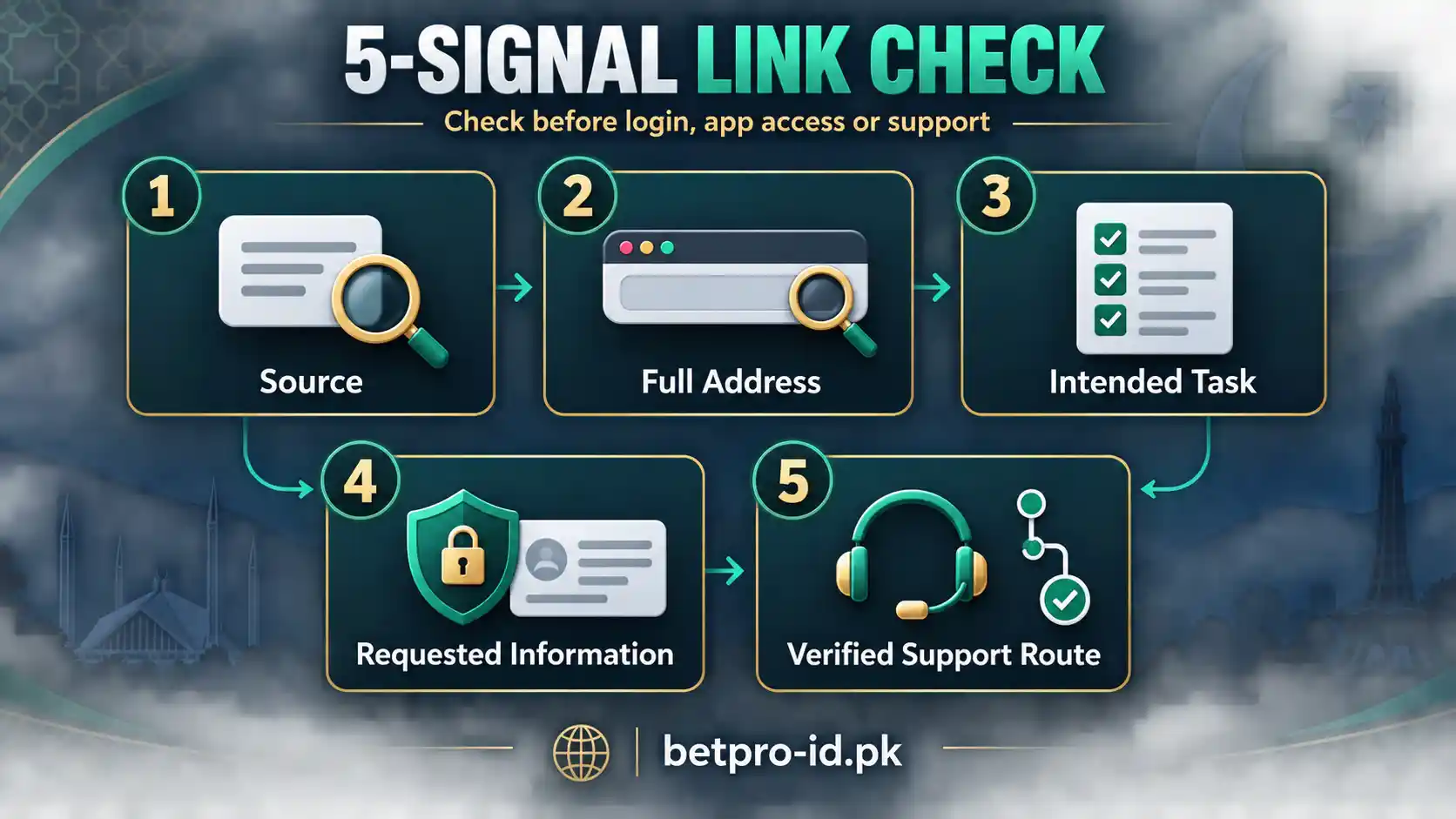
When you are unsure, check five things in order: source, address, task, request, and support. Source means where the link came from. Address means the full web address. Task means what you are trying to do. Request means what the page asks from you. Support means where you can verify the route if the first four checks do not agree.
This five-signal rule is easy to remember. It also works on mobile. You do not need technical skills. You only need to slow down long enough to ask five clear questions before you enter private details.
Keep One Trusted Starting Point
It helps to keep one trusted starting point in your browser. For this project, that can be BetPro-ID.PK. From there, move to login, password, app, creation, security, or support based on your task. This reduces the need to search for a new route every time.
A known starting point also makes comparison easier. If a message gives you a different route, you can compare it with the structure you already know. You do not have to decide in a hurry.
Write Down the Problem Before You Contact Support
Before you contact support, write one or two short lines about the problem. Say what you were trying to do, where the problem happened, and what the page showed. This makes support faster and keeps the conversation focused.
For example, you can say, “My BetPro ID works in the browser, but the app login fails.” You can also say, “I forgot the password and cannot log in.” Clear details help more than many screenshots or private codes.
Do Not Mix Wallet and BetPro ID Login Details
BetPro ID and BPExch Wallet are not the same login system. A Wallet password or dashboard route should not be treated as the BetPro ID password route. If a link pushes you into a Wallet flow when you only need BetPro ID login help, stop and check the task again.
This separation matters because using the wrong credential on the wrong system can make a simple problem look bigger. Keep each login route and password separate.
Check the Link Again After a Redirect
Some pages redirect you to another address. A redirect can be normal, but you should still check where you landed. Do not assume the final page is correct just because the first link looked fine.
After the page loads, read the address again. Make sure the destination still matches the task. If the final page suddenly asks for unrelated information, close it and return to a known route.
Use the Same Rules in Roman Urdu Messages
A message can be in English or Roman Urdu. The safety check stays the same. Language does not prove that a BetPro link is correct. Check the sender, address, task, and requested information in the same way.
This is useful when support instructions are forwarded between friends or groups. A familiar language can make a message feel more trustworthy, but the route still needs to match the task.
Do Not Judge a Link by One Good Sign
One good sign is not enough. A page may use HTTPS but have the wrong purpose. A known person may send an old route. A clean design may hide a bad request. Look for several signals that agree.
The same idea works in reverse. One small change does not always mean the page is unsafe. Use the full picture. When you are unsure, verify through support instead of guessing.
Next Steps: What to Do Right Now
If you have a BetPro link open right now, do not rush. First decide what you need. Then compare the page with that task. Check the address. Check the source. Read what the page asks you to share.
If everything matches, continue carefully. If anything does not match, close the page and use the correct BetPro-ID.PK route. You do not need to keep testing an unknown page until it fails.
If You Need Login Help
Use the BetPro ID login guide. Check your ID, password, saved details, and access method. If the problem is not the link, the login guide will help you narrow it down.
If You Forgot the Password
Use the password reset guide. If you forgot the password, contact the existing assigned dealer first. Do not use an unknown reset page or send your password to a new contact.
If You Need the App
Use the BetPro app guide. If you are downloading an APK, check the source before installation. Do not enter credentials into an unknown app only because the icon looks familiar.
If You Need a New ID
Use the BetPro ID creation page. Do not create a new ID only because an old link, browser, or app is not working.
If You Need Support
Use the support page. Explain the problem in simple words. You can share the type of error or the page you reached. Keep passwords, OTPs, banking PINs, phone PINs, and wallet passwords private.
Before You Share a Screenshot
A screenshot can help support understand what you saw. Check it before you send it. Hide passwords, OTPs, private codes, account balances, banking details, phone numbers, and any other information that support does not need.
Try to capture the error message and the page area around it. A clean screenshot can explain the problem without exposing your secrets.
Before You Install an App
Check where the file came from. Check whether the app guidance on BetPro-ID.PK matches the file or route. Do not install an app just because someone calls it the latest version.
If the installer asks for unusual permissions or the app immediately asks for unrelated private details, stop. Return to the app guidance and verify the route first.
Before You Change a Password
Make sure you are on the correct route and you know why you are changing it. If you still know the current password, use Profile after login. If you forgot it, use the dealer-first recovery process.
Choose a private password that you do not reuse on other websites. Do not send the new password to the person who helped you recover access.
Three Common Situations
I received a BetPro link in a message. Should I open it?
Check who sent it first. If the sender is unknown, do not enter login details. You can open the relevant guide on BetPro-ID.PK yourself and compare the route before you use the message link.
The BetPro link opens, but my password does not work. What now?
Do not assume the link is the only problem. Check the ID, keyboard, saved password, and access method. Then use the password or login guide. If you forgot the password, follow the normal recovery route.
What should I do if a BetPro link asks for my OTP or current password?
Stop. Do not send an OTP, banking PIN, phone PIN, wallet password, or current BetPro password to an unknown person. Use the normal support route instead. A support check should not require you to hand over every private code you have.
One Final Habit
One final habit can make every BetPro link check easier. Keep your browser, phone, and saved passwords organised. Remove old bookmarks that you no longer use. Do not save different passwords under the same name.
When a page changes, compare it with the task before you update anything. If you cannot explain why a page needs a detail, do not share that detail yet. Open the correct guide, confirm the route, and continue only when the request makes sense. This small routine keeps login, password, app, and support problems separate.
It also makes it easier to describe the problem if you need help later. You can also keep a short note of the route that worked for your own device. Do not store the password in that note. Store only the purpose, such as login, app, or support. That gives you
References
- BetPro ID Login Help — login and access troubleshooting.
- BetPro ID Password Reset — password change and forgotten-password routing.
- BetPro App — app, browser, and Android access guidance.
- BetPro ID Security — link, credential, and suspicious-contact guidance.
- BetPro-ID.PK Support — verified support routing.
- BetPro ID Dealer Guide — dealer-specific support checks.
Conclusion: Use the Right BetPro Link for the Right Task
A good BetPro link should help you reach the task you need. It should not push you to share private codes, install an unknown file, or create a new ID without a clear reason.
If you are unsure, return to the correct guide on BetPro-ID.PK. Use login help for login problems. Use password help for password problems. Use app guidance for app problems. Use support when the signals do not match.
Keep the process simple. Check the source. Check the address. Check the task. Protect your private details. Then continue only when the route makes sense.
EDITORIAL REVIEW
Reviewed for clarity, safety and independent status
This article is managed by the BetPro-ID.PK Support and Editorial Desk. Content is checked before publication and updated when important facts change.